
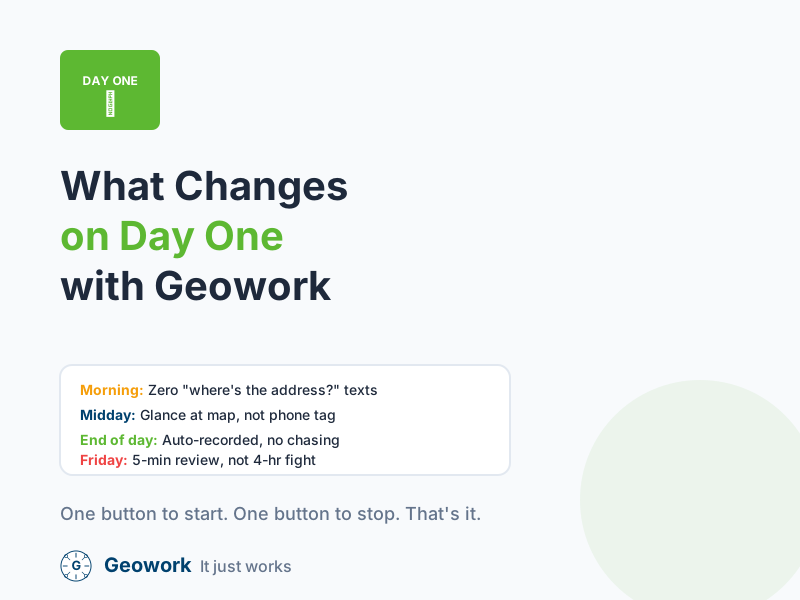
Change is hard. You’re worried that if you start using a GPS app, your whole morning routine will turn into a mess. But here is exactly what happens on the first day you use Geowork.
6:45 AM: The Morning Rush
Before Geowork
You’re getting three different texts asking where the job site address is. You’re trying to remember who you sent where. You’re stressed before the sun is even up.
With Geowork
Your guys open the app. They see exactly where they need to go. They click “Start” when they pull into the driveway. You see a green dot on your map. You know the job has started without even sending a text.
The difference: Zero texts. Zero confusion. Coffee in peace.
7:15 AM: The Clock-In
Before Geowork
You’re wondering if your crew actually made it to the site. You text your lead: “You guys there?” He takes 10 minutes to respond because he’s unloading tools.
With Geowork
You glance at your phone. Three green dots at the Smith renovation. Two green dots at the Jones addition. Everyone is where they should be.
The difference: 30 seconds of screen time instead of 10 minutes of texting.
11:00 AM: The Midday Check-In
Before Geowork
You have to call your lead to see if they’re making progress. He doesn’t answer because he’s working. You wonder if they’re even there or if they went to get parts.
With Geowork
You take a quick look at the map on your phone. You see all three trucks at the job site. You see that they’ve been there for four hours. You put your phone away and get back to your own work. You have peace of mind.
The difference: Information without interruption.
2:00 PM: The Emergency Call
Before Geowork
A property manager calls with an emergency. Broken water heater, flooding basement. You start calling through your contact list trying to find who’s closest.
With Geowork
You look at the map. Kevin is finishing a job 2 miles away. You call Kevin directly: “Can you swing by 445 Oak Street when you’re done? Emergency water heater.”
The difference: 30 seconds to dispatch instead of 10 minutes of phone tag.
4:00 PM: The End of the Day
Before Geowork
Guys are texting you “I’m out” at different times. Some forget to text. You have to write it all down on a legal pad so you don’t forget it for Friday.
With Geowork
The guys click “Stop” when they leave. The app records the exact time and location. You don’t have to write anything down. The data is saved and ready for payroll.
The difference: Automatic record-keeping instead of manual notes.
The Friday Difference
Before Geowork
You spend 3-4 hours:
- Collecting paper timesheets
- Deciphering handwriting
- Cross-referencing with your notes
- Calling guys to clarify hours
- Entering data into payroll
- Arguing about discrepancies
With Geowork
You spend 15-20 minutes:
- Open the dashboard
- Review the automatically calculated hours
- Approve any flagged entries
- Export to payroll
- Done
The difference: Friday afternoon free instead of Friday afternoon fight.
The Real Numbers
After one week with Geowork, here’s what most contractors see:
| Metric | Before | After |
|---|---|---|
| Morning coordination texts | 10-15/day | 0-2/day |
| “Where are you?” calls | 5-8/day | 0-1/day |
| Friday payroll time | 3-4 hours | 15-20 minutes |
| Timesheet disputes | 2-3/week | 0-1/week |
| Confidence in accuracy | “I guess” | “I know” |
It Just Works
Your guys will be surprised at how easy it is. You’ll be surprised at how much stress disappears. It’s not about changing how you work. It’s about making the work you do easier to track.
Ready to See What Day One Looks Like?
- Watch the demo — See exactly how the app works
- Start your free trial — No credit card required
- Calculate your ROI — See what you’ll save in the first month
Experiences described are based on typical customer onboarding. Your results may vary based on crew size and current processes.
One Button to Start. One Button to Stop.
See how simple it really is. Your crew will be tracking time in under 5 minutes.
Comments (0)
Be the first to leave a comment!
Leave a Comment