
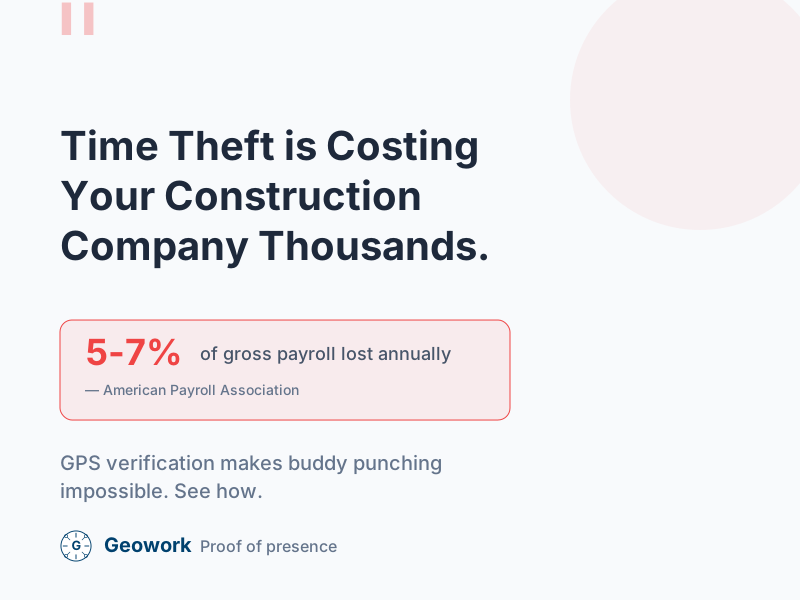
Time theft is when workers get paid for hours they didn’t actually work. On construction sites, this happens more often than most owners realize—and it adds up fast.
How Much Does Time Theft Cost?
Time theft can cost employers a meaningful percentage of payroll—industry estimates vary widely, and the actual impact depends on your company’s current controls and culture. For a construction company with $1 million in annual labor costs, even 2-3% in losses represents $20,000-$30,000 per year.
Common types of time theft include:
- Buddy punching
- Extended breaks
- Early clock-in / late clock-out
- Falsified timesheets
The cost of each depends on how often it occurs and your wage rates.
Common Types of Time Theft on Construction Sites
Buddy Punching
One worker clocks in for another who isn’t there yet. This is the most common form of time theft on construction sites.
Example: Mike isn’t at the job site yet, but his friend Tom clocks him in at 7:00 AM. Mike shows up at 7:45 AM. Mike just got paid for 45 minutes he didn’t work.
Extended Breaks
Workers take 45-minute lunches instead of 30 minutes. Or they stretch coffee breaks from 10 minutes to 25 minutes.
Why it happens: No one’s watching. Paper timesheets can’t track break times accurately.
Early Clock-In, Late Start
Workers clock in on time but don’t actually start working until later. They might sit in their truck, chat with coworkers, or run personal errands first.
Late Clock-Out
Similar to early clock-in. Workers stop working but wait to clock out, adding extra minutes to each shift.
Falsified Timesheets
On paper timesheets, workers write whatever they want. Without verification, there’s no way to know if the times are accurate.
Why Traditional Methods Don’t Work
Paper Timesheets
Paper timesheets have no verification. Workers fill in whatever times they want, and foremen often sign off without checking.
Time Clocks Without GPS
A time clock at the office doesn’t help if your crews work at job sites. Workers can clock in at the office and then take their time getting to the site.
Honor System
Trusting workers to be honest seems nice, but it doesn’t work. Even good employees stretch the truth when they think no one’s watching.
How GPS Time Tracking Stops Time Theft
GPS time tracking verifies that workers are actually at the job site when they clock in. Here’s how it works:
GPS Verification
When a worker clocks in:
- The app captures their GPS coordinates
- It compares the location to the assigned job site
- The time entry is marked as “Verified” or “Off-Site”
This makes buddy punching much harder—you can’t easily clock in for someone whose phone isn’t at the job site. (Note: Phone sharing or supervisor-led punches can still occur, so GPS isn’t foolproof, but it significantly raises the bar.)
Geofencing
Geofencing creates a virtual boundary around each job site. When workers enter the geofence:
- They get a reminder to clock in
- Supervisors can see who’s on site
- Late arrivals are automatically flagged
Real-Time Visibility
With GPS tracking, you can see:
- Who’s on site right now
- Who clocked in and when
- Who’s running late
This visibility changes behavior. Workers are more likely to be on time when they know you can see their location.
Implementing GPS Time Tracking
Step 1: Choose the Right Tool
Look for an app with:
- GPS verification on every clock-in/out
- Geofencing for job sites
- Easy mobile app for workers
- Payroll export
Step 2: Communicate With Your Team
Before rolling out GPS tracking:
- Explain why you’re doing it (saving money, fair pay for fair work)
- Address privacy concerns (tracking only during work hours)
- Show them how easy the app is to use
Step 3: Start With One Crew
Don’t roll out to everyone at once. Start with one crew or one job site. Work out the kinks before going company-wide.
Step 4: Enforce Consistently
GPS tracking only works if you act on the data. When you see off-site clock-ins or buddy punching attempts:
- Address it immediately
- Be consistent across all workers
- Document everything
What About Worker Privacy?
This is the most common concern. Here’s how to address it:
GPS tracking only happens during work hours. When workers clock out, tracking stops. You’re not following them home or tracking personal time.
Workers can see their own data. They know exactly what’s being tracked and can verify their own entries.
It protects workers too. If there’s ever a dispute about where someone was, GPS data proves they were on site.
Potential Results
Companies that implement GPS time tracking commonly report:
- Reduced payroll inaccuracies (the magnitude varies by company)
- Significantly reduced buddy punching
- Faster timesheet processing (no more chasing down paper)
- Fewer payroll disputes
Measure your own baseline before implementation to calculate your actual improvements.
Getting Started
Ready to stop time theft on your job sites? Here’s what to do:
- Calculate how much time theft might be costing you (5% of payroll is a good estimate)
- Try a GPS time tracking app with a free trial
- Test with one crew before rolling out company-wide
- Measure the results after 30 days
Ready to Stop Time Theft?
- Request a demo — See GPS verification in action
- Calculate your savings — See your potential ROI
- View pricing — Flat-rate options for growing teams
Time theft estimates in this article are illustrative. The commonly cited “5-7% of payroll” figure appears in many industry sources but is difficult to verify from primary research. Your actual experience will vary.
Ready to See It in Action?
Join contractors who've already made the switch to GPS-verified time tracking.
Comments (0)
Be the first to leave a comment!
Leave a Comment