
Payroll is your biggest expense as a general contractor. Labor typically runs 40-60% of project costs. Even small improvements in payroll accuracy can save thousands of dollars.
General contractors using GPS-verified time tracking often report meaningful reductions in payroll costs—the exact amount varies widely based on your starting point. Here’s how they achieve these savings.
Where Payroll Money Disappears
Before we talk about solutions, let’s understand where the money goes:
Time Theft
Time theft is a significant cost for many employers, though exact industry-wide figures are difficult to verify. For construction, common forms include:
- Buddy punching: Clocking in for absent coworkers
- Time padding: Adding a few minutes to each shift
- Extended breaks: Taking 45 minutes instead of 30
- Early departure: Leaving before the official end time
A single worker stealing 15 minutes per day costs you $1,500-2,000 per year.
Timesheet Errors
Paper timesheets are full of mistakes:
- Math errors (workers add wrong)
- Rounding up (7.5 hours becomes 8)
- Memory failures (“I think I worked until 4:30”)
- Illegible handwriting
Paper timesheets frequently contain errors—rounding, math mistakes, and memory failures. The exact error rate varies by company, but most tend to favor the employee.
Administrative Overhead
Processing timesheets costs money:
- Collecting paper from multiple sites
- Chasing missing timesheets
- Data entry into payroll
- Error correction and disputes
For a 50-person crew, this overhead can reach $500-1,000 per pay period.
How GPS Verification Solves These Problems
GPS-verified time tracking attacks all three cost drivers:
Eliminating Time Theft
When every clock-in captures GPS coordinates:
- Buddy punching becomes impossible: You can’t clock in from home for someone at the job site
- Location is verified: The system confirms workers are where they claim to be
- Real-time visibility: See who’s on site right now, not after the fact
Reducing Errors
Digital time tracking eliminates manual errors:
- Automatic timestamps: No more rounding or estimation
- No data entry: Time flows directly to payroll
- Instant math: Overtime calculated automatically
- Clear records: No illegible handwriting
Cutting Administrative Time
With GPS time tracking:
- No paper to collect
- No chasing missing timesheets
- No manual data entry
- Export to payroll in minutes
Most contractors save 3-5 hours per week on timesheet administration.
Illustrative Savings Model
Here’s a hypothetical example showing potential savings—your actual results will depend on your current processes and baseline:
Illustrative Example: 30-Person Crew
Annual payroll: $1,500,000
| Potential Savings Area | Illustrative Range |
|---|---|
| Reduced time inaccuracies | 1-5% |
| Reduced errors | 0.5-2% |
| Admin time savings | Varies |
| Better project visibility | Hard to quantify |
Software cost: Varies by vendor, typically a few thousand per year
Key point: Even modest improvements (2-3% total) on a $1.5M payroll represent $30,000-45,000 in potential savings.
Faster Project Completion?
Yes. Better time tracking leads to:
- More accurate crew scheduling
- Less waiting for late workers
- Better visibility into productivity
- Faster identification of problems
When you know exactly where crews are and what they’re doing, projects run smoother.
Real Strategies That Work
1. Start With Visibility
Before implementing consequences, just start tracking. Many contractors find that simply knowing someone is watching changes behavior.
One GC reported: “We didn’t change any policies. We just started tracking. Time theft dropped 60% in the first month.”
2. Flag Anomalies Automatically
Set up alerts for:
- Clock-ins from outside job site geofence
- Unusually long or short shifts
- Missing clock-outs
- Pattern irregularities
Address issues in real-time instead of discovering them at payroll.
3. Tie Time to Jobs
Track time against specific projects and cost codes. This helps you:
- See labor costs per project
- Identify which jobs are over budget
- Bill clients accurately for T&M work
- Estimate future jobs better
4. Review Before Payroll
Build a 15-minute review into your payroll process:
- Run the export report
- Scan for flagged entries
- Correct errors before they hit paychecks
- Approve and export
Catching issues before payroll prevents overpayments and disputes.
5. Communicate With Crews
Workers accept GPS tracking when they understand:
- It only tracks during work hours
- It protects them from disputes (“I was there, here’s the proof”)
- It ensures accurate paychecks
- It’s standard practice in the industry
Most workers prefer it to paper timesheets once they get used to it.
What Contractors Report
Contractors who implement GPS time tracking commonly report:
- Reduced time spent on payroll administration
- Fewer timesheet disputes and corrections
- Better visibility into crew location and productivity
- More confidence in payroll accuracy
The magnitude of improvement varies—some see dramatic changes, others more modest. The best way to measure your ROI is to track your own metrics before and after implementation.
Implementation Roadmap
Ready to reduce your payroll costs?
Month 1: Setup and Pilot
- Choose a GPS time tracking solution
- Set up job sites and geofences
- Pilot with one crew or one project
- Work out the kinks
Month 2: Roll Out
- Train all workers
- Run parallel with paper for one pay period (optional)
- Switch to 100% digital
- Monitor for issues
Month 3: Optimize
- Review first full month of data
- Identify cost savings
- Adjust geofences and settings
- Address any worker concerns
Ongoing: Measure and Improve
- Track payroll costs month-over-month
- Calculate admin time savings
- Document error reduction
- Report ROI to stakeholders
Common Concerns
“Won’t workers push back?”
Some initial resistance is normal. Address it by:
- Explaining the benefits (fewer disputes, accurate pay)
- Showing the app is simple to use
- Emphasizing tracking is only during work hours
- Having foremen lead by example
“What about remote sites without cell service?”
Good apps work offline:
- Time entries save locally on the phone
- GPS coordinates are captured
- Data syncs when connection returns
“We don’t have a big time theft problem”
You might be surprised. Most contractors don’t know how much they’re losing until they start tracking accurately. Even a 3-4% improvement pays for the software many times over.
The Bottom Line
General contractors who implement GPS-verified time tracking typically see:
- 5-10% reduction in payroll costs
- 80% reduction in timesheet processing time
- Near-zero buddy punching and time theft
- Better project cost visibility
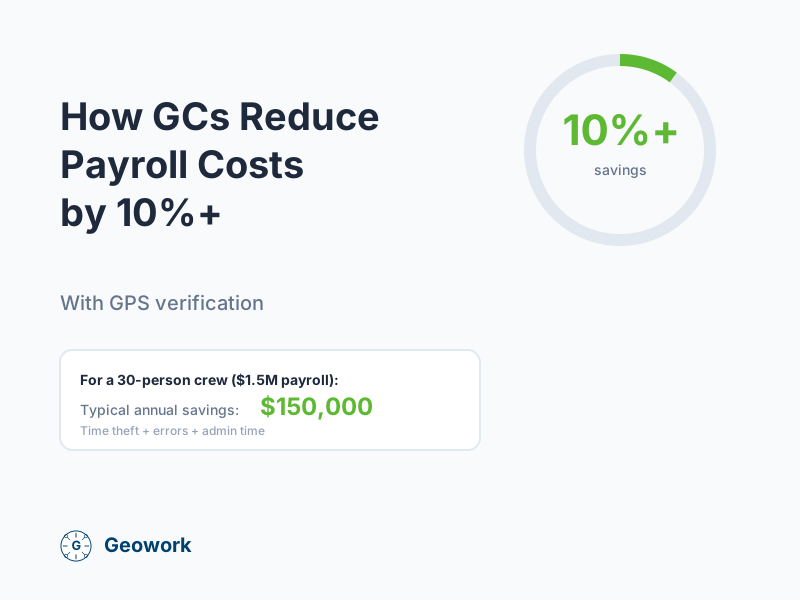
For a company with $1.5M in annual labor, that’s $75,000-150,000 in savings—for a system that costs maybe $5,000/year.
The ROI is hard to ignore.
Ready to Reduce Payroll Costs?
- Calculate your savings — See your potential ROI
- Request a demo — See GPS verification in action
- View pricing — Flat-rate options for growing teams
Savings examples in this article are illustrative scenarios, not guaranteed outcomes. Your results will depend on your current processes, crew behavior, and implementation. Measure your own baseline to calculate actual ROI.
Ready to See It in Action?
Join contractors who've already made the switch to GPS-verified time tracking.
Comments (0)
Be the first to leave a comment!
Leave a Comment