
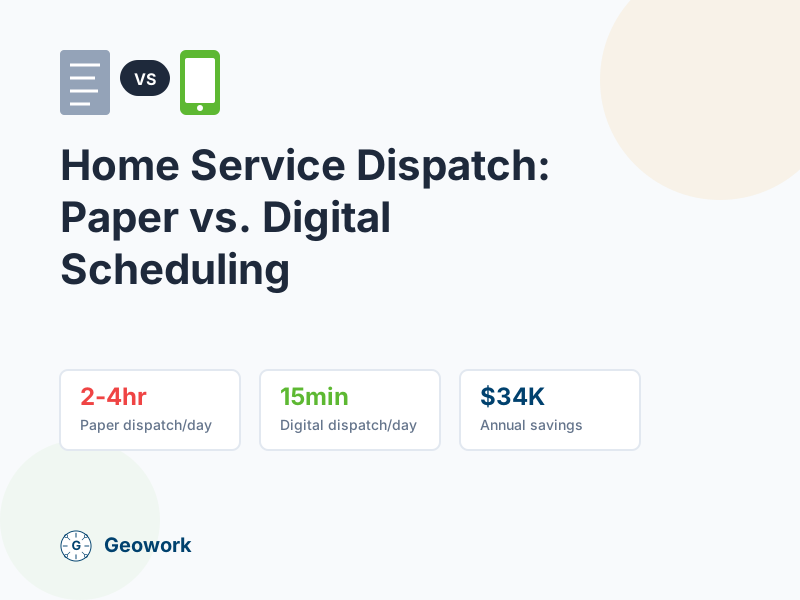
Many home service companies still dispatch with whiteboards, paper job tickets, and phone calls. It works—until it doesn’t. Here’s how paper dispatch compares to digital scheduling, and what the switch really costs.
How Paper Dispatch Works
The traditional paper dispatch system:
- Morning: Dispatcher writes job tickets and hands them to techs
- Throughout day: Phone calls to check status and reassign
- Emergencies: More phone calls to find available techs
- End of day: Collect tickets, match to timesheets, file paperwork
This system has worked for decades. But it has hidden costs.
The Real Costs of Paper Dispatch
Time Costs
| Task | Paper Method | Time Spent |
|---|---|---|
| Morning dispatch | Write tickets, brief techs | 30-60 min |
| Status checks | Call each tech 2-3x/day | 45-90 min |
| Emergency reassignment | Find available tech | 10-20 min each |
| End-of-day reconciliation | Match tickets to timesheets | 30-45 min |
| Daily total | 2-4 hours |
For a dispatcher earning $25/hour, that’s $50-100/day or $13,000-26,000/year in dispatch labor alone.
Error Costs
Paper systems create errors:
- Lost job tickets: Tech forgets, job doesn’t get done
- Miscommunication: Wrong address, wrong time, wrong customer
- Double-booking: Same tech assigned two jobs at once
- Missed emergencies: Calls get lost in the shuffle
Each error costs money—in callbacks, refunds, and lost customers.
Opportunity Costs
What you can’t do with paper:
- Real-time visibility: Where is everyone right now?
- Accurate ETAs: “Your tech will be there sometime this afternoon”
- Route optimization: Techs drive inefficient routes
- Customer notifications: Manual calls for every update
These limitations cost you in efficiency and customer satisfaction.
How Digital Dispatch Works
Modern dispatch software changes the workflow:
- Morning: Jobs already assigned based on location and skills
- Throughout day: Real-time status updates on dashboard
- Emergencies: Find nearest available tech on map instantly
- End of day: Time entries already logged, ready for payroll
Key Features
Live technician map See where every tech is, what they’re working on, and who’s available.
Drag-and-drop scheduling Assign jobs visually. See conflicts immediately.
Automatic customer notifications “Your technician is on the way” texts sent automatically.
GPS-verified time tracking Know when techs arrive and leave each job site.
Mobile app for techs Job details, directions, and customer info on their phone.
Digital Dispatch Costs
Software Costs
Typical pricing for dispatch software:
| Company Size | Monthly Cost | Annual Cost |
|---|---|---|
| 5 techs | $50-150/mo | $600-1,800/yr |
| 10 techs | $100-250/mo | $1,200-3,000/yr |
| 20 techs | $150-400/mo | $1,800-4,800/yr |
Some apps charge per user; others offer flat-rate pricing.
Implementation Costs
One-time setup takes:
- Account setup: 2-4 hours
- Job site configuration: 1-2 hours
- Tech training: 15-30 minutes per person
- Parallel running: 1-2 weeks alongside paper system
Total implementation cost: Usually under $500 in staff time.
ROI Calculation
Let’s compare for a 10-technician home service company:
Paper Dispatch Annual Costs
| Category | Cost |
|---|---|
| Dispatcher time (inefficiency) | $18,000 |
| Errors and callbacks | $5,000 |
| Lost jobs (missed calls) | $8,000 |
| Overtime (poor scheduling) | $6,000 |
| Total | $37,000 |
Digital Dispatch Annual Costs
| Category | Cost |
|---|---|
| Software subscription | $2,400 |
| Initial setup | $400 |
| Total | $2,800 |
Net Savings
- Paper costs: $37,000
- Digital costs: $2,800
- Annual savings: $34,200
- ROI: 1,121%
The software pays for itself in about 4 weeks.
Beyond the Numbers
Digital dispatch also delivers:
Better Customer Experience
- Accurate appointment windows (not 4-hour blocks)
- Automatic arrival notifications
- Faster emergency response
- Professional communication
Happier Technicians
- Less time on hold with dispatch
- Clear job information on their phone
- Better routing = less windshield time
- Fair job distribution
Business Intelligence
- Which techs are most productive?
- What jobs take longer than estimated?
- Where are you losing time?
- Which customers are most profitable?
Paper systems can’t answer these questions.
Making the Switch
Week 1: Setup
- Create accounts for dispatch and techs
- Enter job sites and customer locations
- Configure notification templates
- Set up geofences for common locations
Week 2: Parallel Run
- Run paper AND digital side by side
- Train techs on the mobile app (15 minutes each)
- Work out any issues
- Compare results
Week 3: Cutover
- Stop paper dispatch
- Go fully digital
- Address questions immediately
- Monitor for issues
Week 4+: Optimize
- Review efficiency metrics
- Adjust scheduling practices
- Add automation where helpful
- Collect tech feedback
Common Concerns
“My techs aren’t tech-savvy”
Modern dispatch apps are designed for field workers. One tap to accept a job. One tap to mark arrival. If they can use a smartphone, they can use the app.
“What if the system goes down?”
Good apps work offline. Jobs are cached on phones. And you can always fall back to phone calls in an emergency.
“We’ve always done it this way”
Paper dispatch was the best option available—until recently. The companies that adapt early gain competitive advantage. The ones that don’t fall behind.
“It’s too expensive”
Run the numbers. If paper dispatch costs $37,000 and digital costs $2,800, waiting a year costs you $34,000.
What to Look For
When evaluating dispatch software:
Must-haves:
- Live technician map
- GPS time tracking
- Mobile app for techs
- Customer notifications
- Payroll export
Nice-to-haves:
- Customer self-booking
- Inventory management
- Invoicing integration
- Custom reporting
Avoid:
- Desktop-only systems
- Per-user pricing that punishes growth
- Complex apps that techs won’t use
- Long-term contracts before you’ve tested
The Bottom Line
Paper dispatch worked when there were no alternatives. Now there are better options. Digital dispatch saves time, reduces errors, improves customer service, and pays for itself quickly.
The question isn’t whether to switch—it’s how soon.
Ready to Calculate Your Savings?
- Calculate your savings — See your potential ROI
- Request a demo — See digital dispatch in action
- View pricing — Flat-rate options for growing teams
Cost estimates based on industry averages for home service companies. Your specific costs may vary based on company size, service area, and current processes.
Ready to Go Digital?
See how digital dispatch works for your team—no commitment, no credit card.
Sources & verification
- Field Service Management Software Official vendor
- Buyer’s Guide: Field Service Management Software (2025) Secondary analysis
Comments (0)
Be the first to leave a comment!
Leave a Comment