
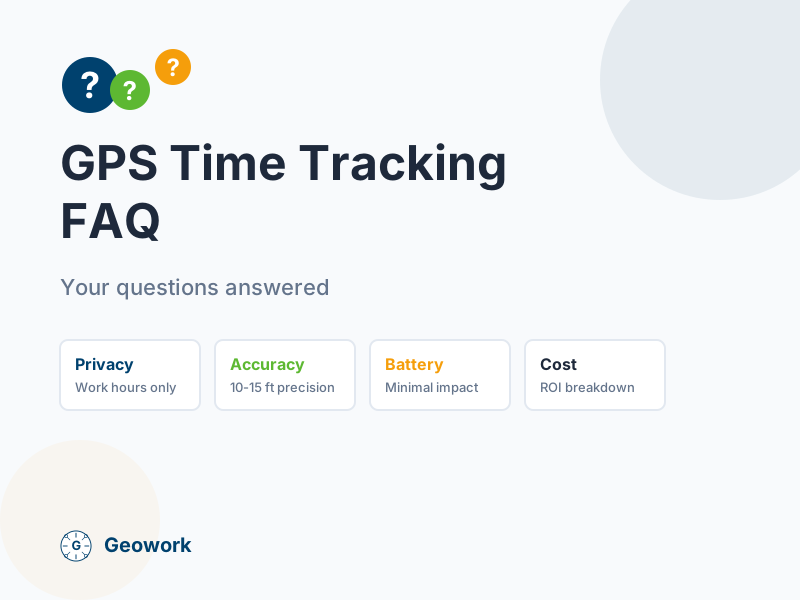
Considering GPS time tracking for your field crews? Here are answers to the questions we hear most often.
General Questions
What is GPS time tracking?
GPS time tracking combines traditional time tracking (clock in/out) with GPS location verification. When a worker clocks in, the app records both the time AND their location. This proves they were at the job site when they say they were.
How does it work?
- Worker opens the app on their smartphone
- Taps “Clock In”
- App records the time and GPS coordinates
- Location is shown on a map for managers
- When work ends, worker taps “Clock Out”
- Time entry includes start location, end location, and total hours
What’s the difference between GPS tracking and geofencing?
GPS tracking records your location when you clock in/out.
Geofencing creates virtual boundaries around job sites. When you enter or leave a geofenced area, the app can remind you to clock in/out or do it automatically.
Most apps use both features together.
Do workers need a smartphone?
Yes, for most GPS time tracking apps. Workers use their personal phones or company-provided devices. Some companies offer tablet kiosks at job sites as an alternative.
Nearly 97% of Americans own smartphones, so this is rarely a barrier.
Privacy Questions
Is GPS tracking legal?
Yes, in most cases. In the United States, employers can track employees during work hours with proper notice. Key requirements:
- Inform employees about tracking before it starts
- Track only during work hours, not personal time
- Have a legitimate business reason (safety, verification, dispatch)
Some states have additional requirements. Check your state’s laws.
Can my employer track me after hours?
With reputable apps, no. GPS tracking is tied to clock-in status:
- Clocked in: Location is tracked
- Clocked out: No tracking
Look for apps that clearly state this policy and let workers verify it.
Can I see my own tracking data?
Yes, with most apps. Workers should be able to view:
- Their clock-in/out times and locations
- Their timesheet history
- Their current tracking status
Transparency builds trust.
What happens to my location data?
Data handling varies by app. Look for:
- Encryption: Data protected in transit and storage
- Retention limits: Old data deleted after a reasonable period
- Access controls: Only authorized managers see location data
- No selling: Your data isn’t sold to third parties
Ask vendors about their privacy policies before signing up.
Accuracy Questions
How accurate is GPS?
Modern smartphone GPS is accurate to about 10-15 feet (3-5 meters) in good conditions. Factors that affect accuracy:
- Clear sky: Best accuracy outdoors
- Urban areas: Buildings can cause reflections
- Indoors: Reduced accuracy, but usually acceptable
- Weather: Minimal impact
For time tracking purposes, this accuracy is more than sufficient to verify someone was at a job site.
What if GPS shows the wrong location?
GPS drift can happen, especially:
- In parking garages or basements
- Near tall buildings
- With weak cell signal
Good apps handle this by:
- Allowing location correction with explanation
- Using geofence radius (100-200 feet) rather than pinpoint accuracy
- Showing location on a map for verification
Does GPS work indoors?
GPS signals are weaker indoors, but smartphones use multiple methods:
- GPS satellites: Primary source
- Cell tower triangulation: Backup location
- Wi-Fi positioning: Indoor assistance
Most workers clock in before entering buildings, when GPS signal is strong.
Battery and Data Questions
Does GPS tracking drain my battery?
Modern GPS tracking uses minimal battery. Apps use efficient methods:
- Location only at clock-in/out: Not continuous tracking
- Cell tower fallback: Uses less battery than pure GPS
- Background optimization: Minimal background activity
Typical battery impact: 2-5% per day for occasional clock-ins. Heavy GPS tracking (continuous) would use more.
Does it use a lot of mobile data?
No. A GPS time entry is tiny—just coordinates and a timestamp. Typical usage:
- Clock-in: ~1-2 KB
- Clock-out: ~1-2 KB
- Daily total: Less than 50 KB
That’s less data than loading a single webpage.
What if I have a limited data plan?
GPS time tracking uses negligible data. Even on a 1 GB plan, you’d need to clock in thousands of times to notice. If data is a concern, you can clock in while on Wi-Fi.
Offline Questions
What if there’s no cell signal?
Good apps work offline:
- Clock-in is recorded with GPS coordinates
- Data is stored on the phone
- When signal returns, data syncs automatically
- Time entry shows accurate clock-in time (not sync time)
This is essential for construction sites, basements, and rural areas.
What if my phone dies?
If your phone dies before syncing an offline entry, some apps can recover the data when the phone restarts. Others may lose the entry.
Best practice: Charge your phone and sync before it gets too low.
Implementation Questions
How long does it take to set up?
Most companies are up and running in 1-2 hours:
- Account creation: 5 minutes
- Adding job sites: 15-30 minutes
- Inviting workers: 10 minutes
- Worker app install: 2 minutes each
Training workers takes about 15 minutes per person.
What about workers who resist tracking?
Common concerns and responses:
- “You don’t trust me”: It’s about verification, not distrust. It protects them from disputes too.
- “It’s an invasion of privacy”: Tracking only during work hours, just like being visible at an office.
- “My phone, my privacy”: They can use a company device, or install/uninstall the app daily.
Most resistance fades after a week of use, when workers realize it’s easier than paper timesheets.
Can I try it before committing?
Most GPS time tracking apps offer free trials (typically 14 days). Test with a small crew before rolling out company-wide.
Cost Questions
How much does GPS time tracking cost?
Pricing varies widely:
| Pricing Model | Typical Cost | Best For |
|---|---|---|
| Per user/month | $5-15/user | Small teams (under 10) |
| Flat rate | $100-300/month | Growing teams |
| Per user + base | $30 base + $8/user | Mid-size teams |
Calculate total cost at your current team size AND projected growth.
Is it worth the cost?
For most field service companies, yes. GPS time tracking typically:
- Reduces time theft by 5-10%
- Cuts payroll processing time by 70-80%
- Eliminates timesheet disputes
- Improves dispatch efficiency
For a company with $500,000 in annual labor costs, even a 3% improvement pays for most software many times over.
Are there hidden costs?
Watch for:
- Setup fees: Some charge for onboarding
- Add-on features: Core features shouldn’t cost extra
- Per-export fees: Payroll exports should be included
- Cancellation fees: Avoid long-term contracts
Technical Questions
What phones are supported?
Most apps support:
- iPhone: iOS 13 or later (phones from 2015+)
- Android: Version 8 or later (phones from 2017+)
Check specific requirements before signing up if you have older devices.
Can workers share a device?
Some apps support multi-user devices:
- Workers select their name from a list
- Enter a PIN or password
- Clock in/out under their account
This works for tablet kiosks or shared company phones.
Does it integrate with our payroll?
Most apps integrate with common payroll systems:
- QuickBooks (Online and Desktop)
- Gusto
- ADP
- Paychex
- CSV export (works with anything)
Check for your specific payroll provider before committing.
Getting Started
What’s the first step?
- List your requirements: What problems are you solving?
- Try 2-3 free trials: Don’t commit without testing
- Test with a small crew: Get real feedback
- Roll out company-wide: Once you’ve found the right fit
Still have questions?
- Read our FAQ — Detailed answers about Geowork
- Request a demo — See GPS time tracking in action
- View pricing — Transparent pricing options
This FAQ provides general information about GPS time tracking. Features and capabilities vary by app. Always verify specific features with vendors before purchasing.
Ready to See It in Action?
Join contractors who've already made the switch to GPS-verified time tracking.
Sources & verification
- Pew Research: Mobile Fact Sheet Primary
- Best time tracking software for contractors Secondary analysis
Comments (0)
Be the first to leave a comment!
Leave a Comment