
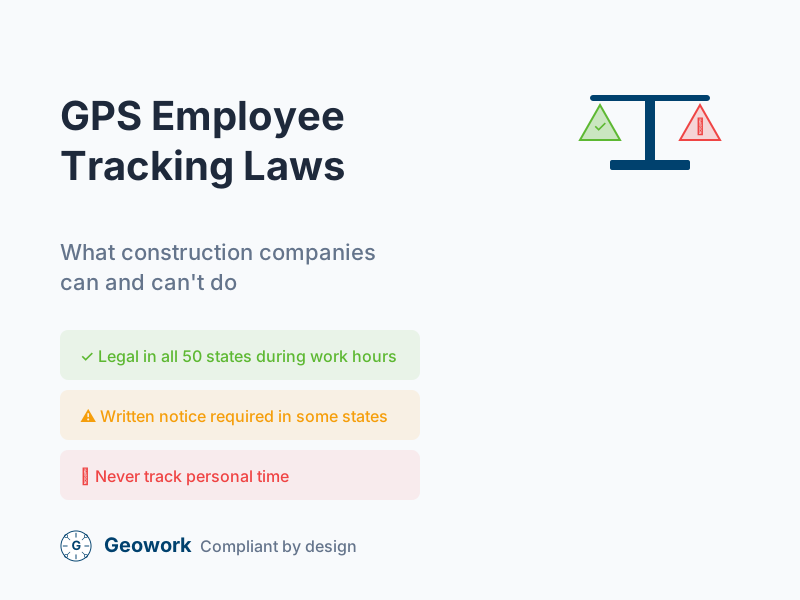
GPS tracking helps construction companies verify time entries and manage crews. But is it legal? What are your obligations as an employer?
This guide covers GPS employee tracking laws, required disclosures, and best practices for staying compliant.
Disclaimer: This article provides general information, not legal advice. Consult an attorney for guidance specific to your situation.
Is GPS Employee Tracking Legal?
Short answer: Yes, in most cases.
Employers generally have the right to track employees during work hours using company-provided or approved devices. But there are important limitations and requirements.
Federal Law
There’s no federal law that specifically prohibits GPS tracking of employees. The Electronic Communications Privacy Act (ECPA) and related laws primarily address wiretapping and electronic surveillance, not location tracking.
However, federal courts have generally upheld that:
- Employers can track employees during work hours
- Tracking must be for legitimate business purposes
- Employees should be informed about tracking
State Laws
State laws vary significantly. Few states have laws specifically addressing GPS tracking of employees; most relevant laws are broader electronic monitoring statutes that may apply to GPS tracking.
States With Electronic Monitoring Notice Requirements
California California law (Labor Code Section 2870.5 and related statutes) addresses vehicle-tracking devices and requires certain disclosures. For GPS tracking of employees, the focus is generally on:
- Providing notice about monitoring practices
- Allowing employees to disable tracking on personal vehicles during non-work hours
- Specific rules may apply depending on whether you’re tracking company vehicles vs. employee devices
Consult California-specific legal guidance, as the rules continue to evolve.
Connecticut Connecticut requires employers to provide written notice to employees about electronic monitoring (Conn. Gen. Stat. § 31-48d). This is a broad electronic monitoring law, not GPS-specific, but it likely covers GPS tracking. Notice must describe the types of monitoring in use.
Delaware Delaware requires notice of electronic monitoring (19 Del. Code § 705). Similar to Connecticut, this is a broad statute covering various forms of monitoring.
New York New York Labor Law Section 52-c requires employers to notify employees about electronic monitoring, including internet, email, and telephone monitoring. GPS tracking may fall under this notice requirement. Notice must be provided to new hires and posted in a conspicuous location.
Other States Most states don’t have specific GPS tracking laws. General principles apply:
- Tracking company-owned vehicles and devices is generally permissible with notice
- Tracking employees’ personal devices requires more care—get explicit consent
- Tracking during personal time is legally risky in most jurisdictions
- When in doubt, consult an employment attorney in your state
State laws change frequently. The summaries above are general guidance only—verify current requirements with legal counsel.
Best Practices for Compliant GPS Tracking
1. Written Policy
Create a clear GPS tracking policy that covers:
- What devices/apps are used for tracking
- When tracking occurs (work hours only)
- What data is collected
- How data is stored and protected
- Who has access to location data
2. Employee Notice
Inform employees about GPS tracking:
- Provide written notice before tracking begins
- Include tracking in your employee handbook
- Get signed acknowledgment of the policy
3. Limit Tracking to Work Hours
This is critical for avoiding legal issues:
- Only track when employees are clocked in
- Disable tracking during breaks (if practical)
- Never track personal time
- Make it clear tracking stops at clock-out
4. Legitimate Business Purpose
Be able to explain why you’re tracking:
- Verifying time and attendance
- Improving crew coordination
- Safety and emergency response
- Customer service (knowing when crews will arrive)
5. Data Security
Protect the location data you collect:
- Limit access to necessary personnel
- Use secure storage
- Have a data retention policy
- Delete data when no longer needed
What You Can Track
Generally acceptable:
- Clock-in/clock-out location
- Location during work hours
- Movement between job sites
- Time spent at each location
What You Should Not Track
Generally problematic:
- Personal time (after clock-out)
- Breaks and lunch periods (unless required for safety)
- Family members or personal contacts
- Non-work activities
Employee Concerns and How to Address Them
“This feels like spying”
Response: Explain that tracking only happens during paid work hours. It’s like a supervisor being able to see where crews are—which they’ve always been able to do. The app just makes it automatic.
“What about my privacy?”
Response: Show them that tracking stops when they clock out. Their personal time is their own. Many apps let employees see their own data, so they know exactly what’s being recorded.
“What if I forget to clock out?”
Response: That’s actually a feature, not a bug. The app will remind them to clock out, or flag extended entries for review. It protects against accidental payroll overpayment.
“Can I be fired based on GPS data?”
Response: GPS data is evidence, like any other. If an employee clocks in but isn’t at the job site, that’s a performance issue. Address it like any other performance matter.
Using Personal Devices
If employees use their personal phones for GPS time tracking:
What to Consider
- Get explicit consent for app installation
- Ensure the app only tracks during work hours
- Workers should be able to delete the app at any time
- Consider providing company devices as an alternative
BYOD Policies
If using Bring Your Own Device (BYOD):
- Have a written BYOD policy
- Explain what data the app accesses
- Clarify that tracking is work-time only
- Specify who pays for data usage
Union Considerations
If you have union employees:
- GPS tracking may be subject to collective bargaining
- Review your CBA before implementing
- Consult with union representatives
- Document any agreements
Government Contracts
For prevailing wage and government work:
- GPS tracking supports compliance documentation
- Time verification helps with certified payroll
- Keep records for required audit periods
Documentation Checklist
Keep these documents:
- Written GPS tracking policy
- Employee acknowledgment forms
- Notice posted in workplace (where required)
- BYOD agreement (if applicable)
- Data retention policy
- Access control documentation
The Bottom Line
GPS employee tracking is legal in most situations when:
- It’s limited to work hours
- Employees are notified
- There’s a legitimate business purpose
- Data is handled securely
For construction companies, GPS time tracking is a standard business practice that improves accuracy and reduces fraud. With proper policies and disclosures, you can implement it compliantly.
Need legal advice? Consult an employment attorney in your state for guidance specific to your situation.
Learn More About Compliant GPS Tracking
- Request a demo — See GPS verification in action
- Learn more — GPS time tracking for construction
- Why Geowork? — What makes us different
This article provides general information only and should not be considered legal advice. Laws vary by state and change over time. Consult an employment attorney for guidance specific to your situation.
Ready to See It in Action?
Join contractors who've already made the switch to GPS-verified time tracking.
Comments (0)
Be the first to leave a comment!
Leave a Comment