
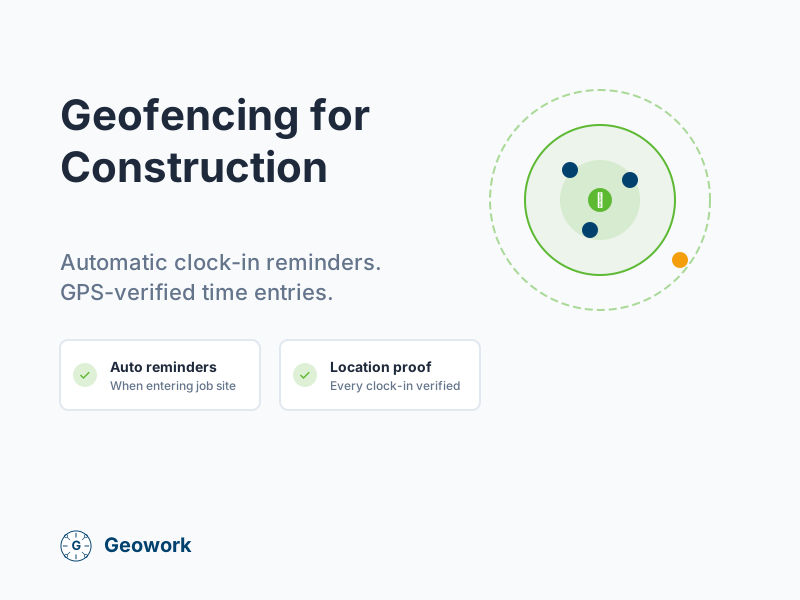
Geofencing sounds complicated, but it’s actually simple: you draw a virtual boundary around your job site, and the system knows when workers enter or leave.
For construction companies, geofencing transforms time tracking by automating reminders and verifying that workers are where they’re supposed to be.
What is Geofencing?
A geofence is an invisible boundary around a location. Think of it like a virtual fence that triggers actions when someone crosses it.
When a worker with the app enters a geofenced job site:
- They can get a reminder to clock in
- The system records they’ve arrived
- Supervisors can see they’re on site
When they leave:
- They get a reminder to clock out
- The system notes their departure time
How Geofencing Works for Construction
Setting Up a Geofence
- Enter the job site address: The system finds the location on a map
- Set the radius: How far from the address counts as “on site” (typically 300-1,000 feet)
- Configure alerts: What happens when workers enter or leave
That’s it. The geofence is now active for that job site.
What Happens When Workers Arrive
When a worker’s phone enters the geofenced area:
- The app detects they’ve crossed the boundary
- A notification pops up: “You’ve arrived at [Job Site]. Clock in?”
- The worker taps to clock in
- GPS coordinates are captured and attached to the time entry
- The entry is marked as “GPS Verified”
What Happens When Workers Leave
When a worker exits the geofence:
- The app detects they’ve left the boundary
- If they’re still clocked in, a reminder appears: “Leaving [Job Site]. Clock out?”
- This prevents forgotten clock-outs
Benefits of Geofencing for Construction
No More Forgotten Clock-Ins
How many times have your workers arrived at a job site and forgotten to clock in? They work all morning, then realize at lunch they never started their time.
Geofencing sends automatic reminders the moment they arrive. Problem solved.
No More Forgotten Clock-Outs
Workers leave the site but forget to clock out. Now you’re paying for time they didn’t work—or you have to manually correct every timesheet.
Geofencing reminds them when they leave the site.
GPS Verification Built In
Most GPS time tracking apps verify location when workers clock in within a geofence. The specific behavior varies by app—some capture coordinates automatically, others require the worker to be within the geofence to clock in. Check your app’s documentation for details.
Real-Time Crew Visibility
With geofencing, you can see:
- Which workers are currently at each job site
- Who arrived late
- Who left early
- How many people are on site right now
Automatic Record-Keeping
Geofencing creates an automatic log of:
- Arrival times at each site
- Departure times
- Time spent on site
This data is useful for job costing, billing clients, and compliance.
Setting Up Geofences: Best Practices
Choose the Right Radius
The geofence radius determines how close workers need to be before the system recognizes them as “on site.”
Rule-of-thumb radius by job type (adjust based on your actual site layout):
- Residential (single home): 300-500 feet
- Commercial (office building): 500-800 feet
- Large sites (industrial, shopping center): 800-1,500 feet
Why radius matters:
- Too small: Workers might not trigger the geofence from the parking lot
- Too large: Workers could be marked “on site” while still at the gas station next door
Account for Parking
Workers often park outside the actual work area. Make sure your geofence extends to the parking lot, not just the building.
Handle Sites Without Addresses
Some job sites don’t have street addresses yet—like new construction on undeveloped land.
Most geofencing tools let you:
- Drop a pin on a map
- Enter GPS coordinates manually
- Draw a custom boundary shape
Set Up Alerts for Supervisors
Configure alerts so foremen or office managers know when:
- Workers arrive at the site
- Workers leave unexpectedly
- Someone clocks in from outside the geofence
Common Geofencing Questions
Does geofencing drain phone batteries?
Modern geofencing uses low-power location services. Battery impact varies by device and app, but most apps are designed to minimize drain. Workers with older phones or heavy GPS usage may notice more impact.
What if there’s no cell signal at the job site?
Good time tracking apps work offline. The geofence triggers locally on the phone, and data syncs when the worker gets signal.
Can workers disable geofencing?
Workers can turn off location services, but then they can’t clock in with GPS verification. Off-site or unverified entries are flagged for supervisor review.
What about worker privacy?
Geofencing only tracks location when:
- The worker is at or near a job site
- During work hours
- When they have the app open or are clocked in
Workers are not tracked during personal time.
Geofencing vs. Manual GPS Checks
Some apps only capture GPS when you manually check. Geofencing is better because:
| Manual GPS | Geofencing |
|---|---|
| Worker must remember to check in | Automatic reminder on arrival |
| No reminder if they forget | Always notified |
| Easy to clock in from anywhere | Must be at job site |
| No departure tracking | Reminds to clock out when leaving |
Getting Started with Geofencing
Ready to try geofencing for your construction company?
- Choose software with geofencing: Look for construction-focused time tracking apps
- Add your job sites: Enter addresses or drop pins for each location
- Set geofence radii: Start with recommended sizes, adjust as needed
- Test before rollout: Have one worker test each site
- Train your crews: Show them how the reminders work
The Bottom Line
Geofencing makes GPS time tracking automatic. Workers get reminded to clock in when they arrive and clock out when they leave. Every time entry is verified.
For construction companies, this means:
- No more chasing down forgotten timesheets
- Verified proof of on-site presence
- Automatic, accurate records
Ready to Try Geofencing?
- Request a demo — See geofencing in action
- Learn more — GPS time tracking for construction
- Why Geowork? — What makes us different
Ready to See It in Action?
Join contractors who've already made the switch to GPS-verified time tracking.
Sources & verification
- GPS Time Clock for Field Workers Official vendor
- GPS Time Tracking App for Field Employees Official vendor
Comments (0)
Be the first to leave a comment!
Leave a Comment