
Construction time clock software pricing seems straightforward until you do the math. Per-user pricing looks cheap until your crew grows. Flat rate looks expensive until you compare total cost.
This guide breaks down the real cost of each pricing model and helps you choose the right one for your business.
The Two Main Pricing Models
Per-User Pricing
You pay for each worker who uses the system:
- Example: $8/user/month
- 20 workers: $160/month ($1,920/year)
- 50 workers: $400/month ($4,800/year)
- 100 workers: $800/month ($9,600/year)
Cost scales linearly with your crew size.
Flat Rate Pricing
You pay a fixed amount regardless of user count:
- Example: $299/month
- 20 workers: $299/month ($3,588/year)
- 50 workers: $299/month ($3,588/year)
- 100 workers: $299/month ($3,588/year)
Cost stays the same as you grow.
When Per-User Pricing Makes Sense
Small, Stable Crews
If you have a small crew that doesn’t change much, per-user pricing can be more economical:
Example: 10 workers at $8/user/month = $80/month
This is cheaper than most flat rate plans.
Advantages
- Lower entry cost: Start small, pay small
- Pay for what you use: No workers = no cost
- Easy to understand: Cost = users × price
Disadvantages
- Costs grow with success: Hire more people, pay more
- Punishes growth: Every new worker is an added expense
- Seasonal fluctuations: Summer crews mean summer bills
- Hidden tiers: Some vendors have expensive premium tiers
When Flat Rate Pricing Makes Sense
Growing Companies
If you’re adding workers, flat rate becomes more attractive:
Example: $299/month flat rate
- With 20 workers: $14.95 per user effective cost
- With 50 workers: $5.98 per user effective cost
- With 100 workers: $2.99 per user effective cost
The more you grow, the cheaper it gets per person.
Seasonal Businesses
Construction is often seasonal. If your crew doubles in summer:
Per-user at $10/user/month:
- Winter (20 workers): $200/month
- Summer (40 workers): $400/month
- Annual cost: ~$3,600
Flat rate at $299/month:
- Winter: $299/month
- Summer: $299/month
- Annual cost: $3,588
Flat rate costs the same year-round.
Advantages
- Predictable costs: Budget the same every month
- Growth-friendly: Hire freely without software cost impact
- No user counting: Add anyone you need
- Often includes all features: No tiered feature limits
Disadvantages
- Higher minimum: Costs more for very small crews
- Paying for unused capacity: If you have 5 workers, you pay the same as 50
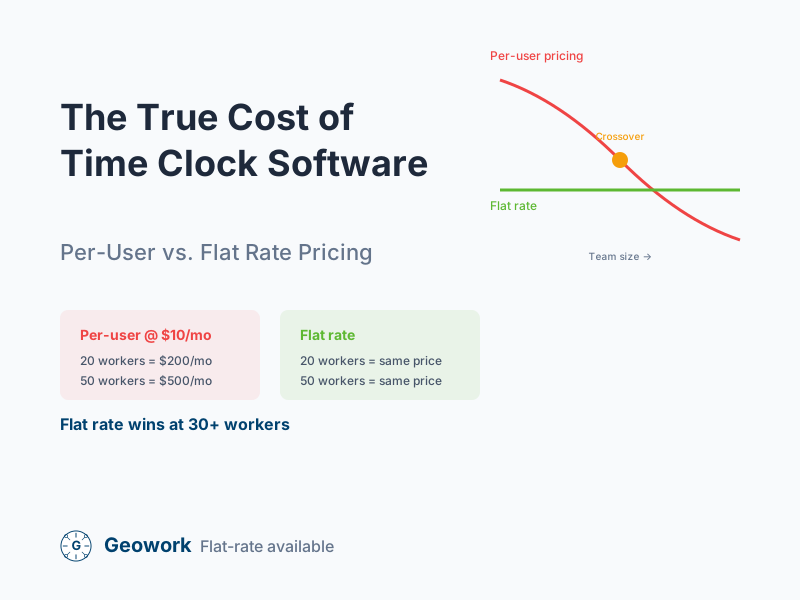
The Crossover Point
There’s a crew size where the pricing models cross over:
Calculating Your Crossover
Formula: Flat Rate ÷ Per-User Rate = Crossover Number
Example:
- Flat rate: $299/month
- Per-user rate: $10/month
- Crossover: 299 ÷ 10 = 30 workers
Below 30 workers, per-user is cheaper. Above 30 workers, flat rate is cheaper.
Typical Crossover Points
| Flat Rate | Per-User Rate | Crossover |
|---|---|---|
| $199/month | $6/user | 33 workers |
| $299/month | $8/user | 37 workers |
| $299/month | $10/user | 30 workers |
| $399/month | $10/user | 40 workers |
Hidden Costs to Consider
Per-User Hidden Costs
Feature tiers: Basic plan might be $6/user, but GPS tracking requires the $12/user plan.
Admin users: Some vendors charge for admin accounts separately.
Minimum commitments: Monthly minimums (e.g., 5 user minimum = $50 even for 3 users).
Annual contracts: Per-user often requires annual commitment; monthly is more expensive.
Flat Rate Hidden Costs
User limits: Some “flat rate” plans cap users (e.g., “up to 50 users”).
Feature add-ons: Base price might exclude GPS, integrations, etc.
Storage limits: Additional fees for data storage or history.
Support tiers: Premium support may cost extra.
Real-World Cost Comparison
Let’s compare three fictional scenarios:
Scenario 1: Small GC (12 Workers)
| Model | Monthly Cost | Annual Cost |
|---|---|---|
| Per-user @ $8 | $96 | $1,152 |
| Per-user @ $12 | $144 | $1,728 |
| Flat rate @ $199 | $199 | $2,388 |
| Flat rate @ $299 | $299 | $3,588 |
Winner: Per-user pricing (at lower tiers)
Scenario 2: Medium GC (35 Workers)
| Model | Monthly Cost | Annual Cost |
|---|---|---|
| Per-user @ $8 | $280 | $3,360 |
| Per-user @ $12 | $420 | $5,040 |
| Flat rate @ $199 | $199 | $2,388 |
| Flat rate @ $299 | $299 | $3,588 |
Winner: Flat rate pricing
Scenario 3: Large Contractor (80 Workers)
| Model | Monthly Cost | Annual Cost |
|---|---|---|
| Per-user @ $8 | $640 | $7,680 |
| Per-user @ $12 | $960 | $11,520 |
| Flat rate @ $199 | $199 | $2,388 |
| Flat rate @ $299 | $299 | $3,588 |
Winner: Flat rate pricing (by a large margin)
Questions to Ask Vendors
Before signing up, ask:
For Per-User Pricing
- What features are included at each tier?
- Are admin users charged separately?
- Is there a minimum number of users?
- What happens if I need to add users mid-month?
- Are there volume discounts for larger crews?
For Flat Rate Pricing
- Is there a user limit?
- What features are included?
- Are there additional charges for anything?
- What happens if I exceed any limits?
- Is the rate locked or can it change?
The ROI Perspective
Software cost matters, but ROI matters more. Consider potential savings areas:
Illustrative savings model (these are example ranges, not guaranteed outcomes):
- Time theft reduction: Varies widely by company—some report significant improvements
- Admin time: Depends on your current process complexity
- Payroll errors: Reduction depends on your baseline error rate
- Compliance risk: Hard to quantify, but real
Illustrative example for a 35-person crew ($1M annual payroll):
If you assume modest improvements in each area, the potential savings can significantly outweigh software costs. For example, even a 2-3% improvement in payroll accuracy on a $1M payroll represents $20,000-30,000.
The key is measuring your own baseline before and after implementation to calculate your actual ROI.
Making the Decision
Choose Per-User If:
- You have fewer than 20 workers
- Your crew size is very stable
- You need only basic features
- You’re testing before committing
Choose Flat Rate If:
- You have 30+ workers
- You’re growing or plan to grow
- Your crew size fluctuates seasonally
- You want predictable budgeting
The Hybrid Approach
Some vendors offer volume discounts on per-user pricing:
- First 20 users: $10/user
- 21-50 users: $8/user
- 50+ users: $6/user
This can combine benefits of both models.
The Bottom Line
Per-user pricing works for small, stable crews. Flat rate pricing works for larger or growing companies.
Calculate your actual costs under each model before deciding. And remember: the pricing model matters less than the value the software provides. If it saves you 5% of payroll, even the most expensive option is a bargain.
Ready to Compare Pricing?
- View pricing — See flat-rate options for your team
- Compare competitors — See how Geowork stacks up
- Request a demo — See GPS verification in action
Ready to See It in Action?
Join contractors who've already made the switch to GPS-verified time tracking.
Comments (0)
Be the first to leave a comment!
Leave a Comment